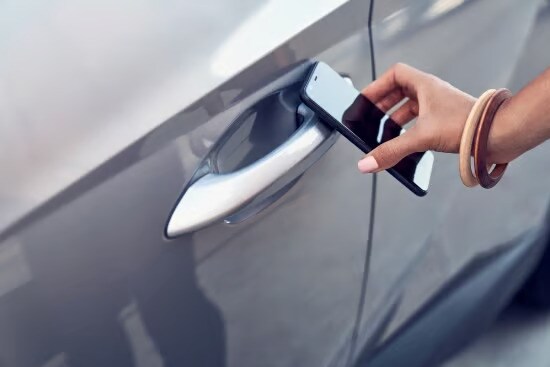
Hyundai vehicles offer several convenient technology features to streamline your commute. This includes enhanced smartphone integration through Hyundai Digital Key®. Route 1 Hyundai highlights how to use it.
What Can Hyundai Digital Key® Do?
Hyundai Digital Key® allows you to unlock or lock your vehicle’s doors with your smartphone by holding it against the door handle. It’s a convenient alternative to using a traditional key fob. You can also use it to start your vehicle’s engine by placing your phone on the Wireless Device Charging™ pad and pressing the “Start” button.
How to Set Up Hyundai Digital Key®
To set up Hyundai Digital Key®, you’ll need to enroll in Bluelink® and download the Hyundai Digital Key® app. If your vehicle offers Hyundai Digital Key® 2, you’ll need to download the MyHyundai App® and confirm your phone’s wallet. Follow the on-screen prompts to pair your phone with your Hyundai Digital Key®.
What Are Some Differences Between Hyundai Digital Key® 1 and Hyundai Digital Key® 2?
Although Hyundai Digital Key® 1 and Hyundai Digital Key® 2 function similarly, a few differences set them apart. Hyundai Digital Key® 1 works only with Android devices, while Hyundai Digital Key® 2 also supports select Apple, Google, and Samsung devices.
Hyundai Digital Key® 1 utilizes Near Field Communication to unlock your vehicle. Hyundai Digital Key® 2 uses Near Field Communication and Ultra-Wideband technology. Hands-free unlocking is only available for models offering Hyundai Digital Key® 2 Premium.
Test-Drive Vehicles with Hyundai Digital Key® in Monmouth Junction, NJ
Do you need help choosing a vehicle with Hyundai Digital Key®? At our Hyundai dealership in Monmouth Junction, NJ, you can compare models offering this impressive tech. Stop by to schedule a test drive and browse our inventory.